Surfing dining with our

Contactless
digital menu
Create a digital menu within minutes
Your customer will only need to scan
a QR code to view and order
No apps to download

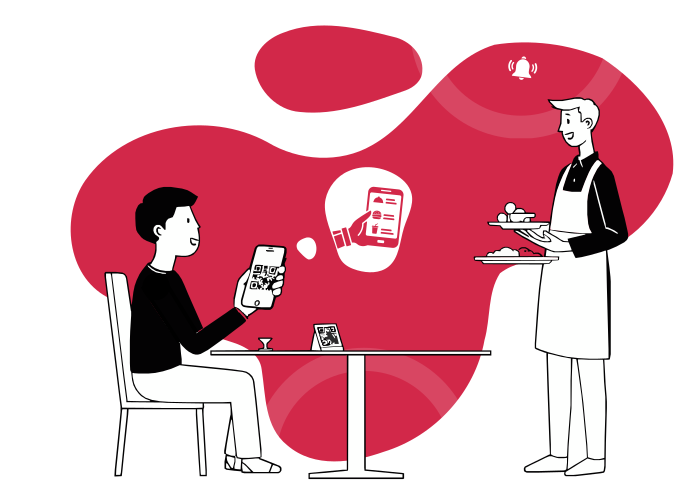
How contactless digital menu works?

1
Go to restaurant

Customer comes into restaurant for dine-in or takeaway
2
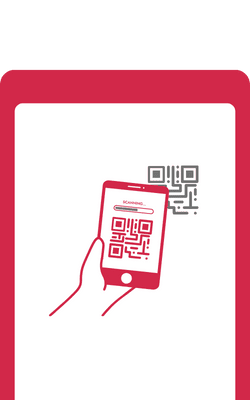
Scans QR code
Customer scans the QR code with their phone. No need to download app.
3
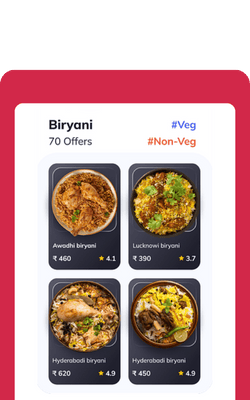
Open digital menu
QR code scan will open the restaurant's digital menu
4
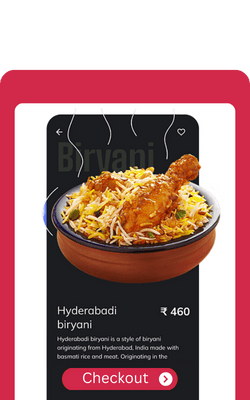
Order and payment
Customer places the order and pays

5
Food served
Food is served to the table or in takeaway
3 Simple Steps
for you and your customers to follow
How you will
create a digital menu
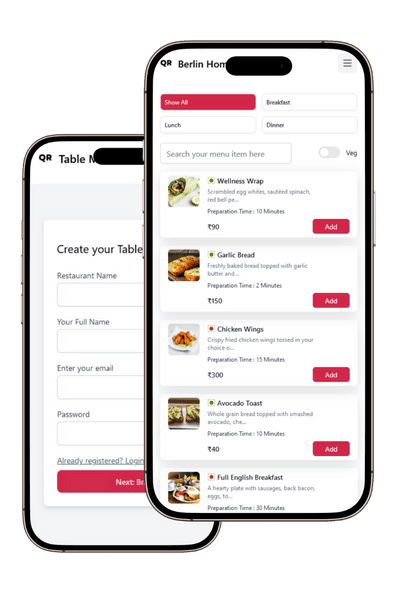
Sign up to create a restaurant profile
Add menu items
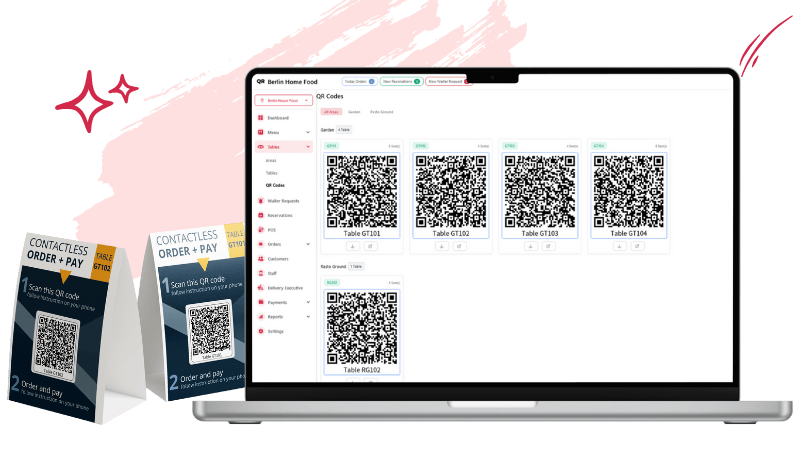
Print your QR code for customer to access
digital menu
How your customers
will use
the digital menu
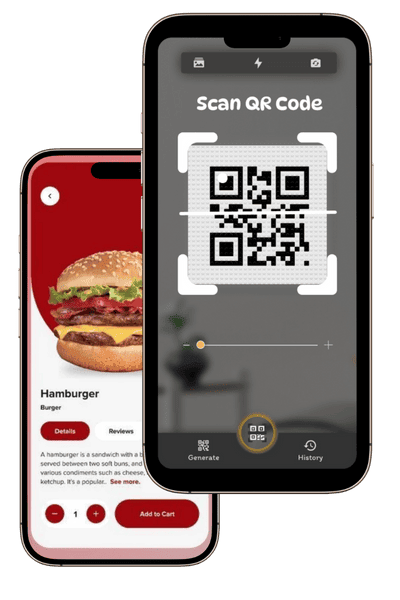
Use the phone to scan the QR code to access
restaurants menu
View menu to place an order and pay
Order is sent to the restaurant to process
What we do?
Innovative Solution
To Create Your Own QR Digital Menu
You can create your own menu in a
few simple steps and get a unique
QR code for your customers.
POS
Simplify Your Order Flow
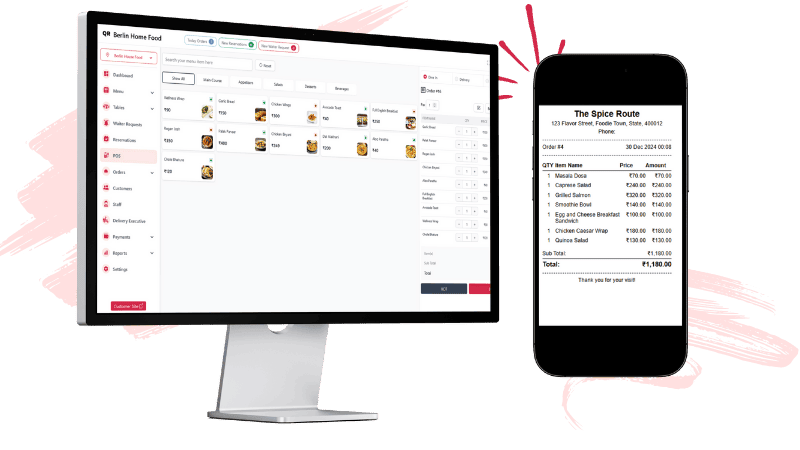
With Our Optimized POS
Improve service speed and accuracy
with a POS system that connects
your kitchen and front-of-house seamlessly.
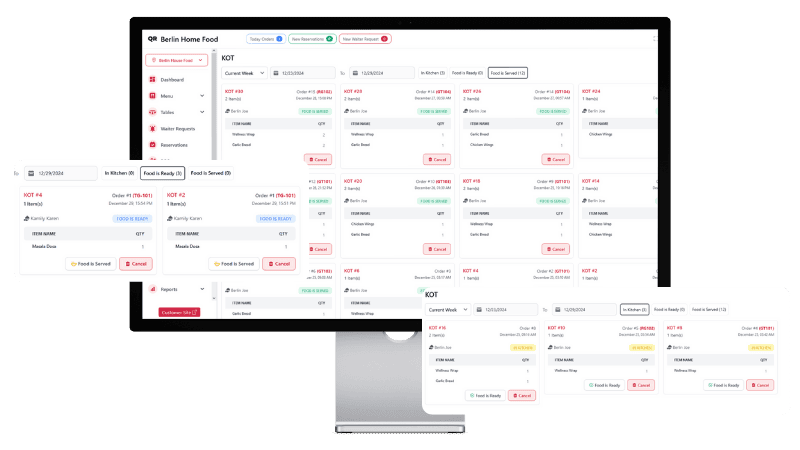
KOT
Enhance Kitchen Operations
With Our Smart KOT System
Streamline your kitchen's workflow
with clear, real-time order details
and faster order fulfillment.
Features for Restaurants Needs
Focus on Food, Not the Hassle
QR Code Menu
Let customers order easily without touching a menu.
POS (Point of Sale)
Handle orders and payments effortlessly.
Kitchen Order Tickets (KOT)
Make your kitchen run like clockwork.
Custom Floor Plans
Set up table locations for areas like the garden, terrace, or lobby.
Bill Printing
Print clear and accurate bills in seconds.
Staff Management
Every staff member gets their own secure login.
Reports
Get detailed insights into sales, items, and category performance.
Payment Integration
Simple, secure, and flexible payment options.
Notification
Stay updated with instant order alerts.
Delivery
Track and manage deliveries with ease.
Reservation
Let customers book tables online, and get notified instantly.
Custom Landing Page
Showcase your restaurant and delicious menu in style.
Choose Your Pricing Plan
Start falling in love with our product
7 Day Trial
Free
Explore everything
Regular
₹499
/Per month
No credit card needed
- 10 tables/ QR codes per store
- Manage 1 store
- QR code ordering
- Online ordering
- Unlimited menu categories
- Unlimited food items per category
- Unlimited orders via QR code
- POS integration
- KOT System
- Access to sales and revenue report
- Realtime order notification
- One store admin or user
- Advanced menu settings
- 24 hours customer support
Standard
₹999
/Per month
No credit card needed
- 20 tables/ QR codes per store
- Manage 2 store
- QR code ordering
- Online ordering
- Unlimited menu categories
- Unlimited food items per category
- Unlimited orders via QR code
- POS integration
- KOT System
- Table Reservation
- Access to sales and revenue report
- Realtime order notification
- Manage Staff Permission
- Add 4 store admin or user
- Order Notification via automated email
- 24 hours customer support
Premium
No credit card needed
- 50 tables/ QR codes per store
- Manage 7 store
- QR code ordering
- Online ordering
- Unlimited menu categories
- Unlimited food items per category
- Unlimited orders via QR code
- Unlimited orders via QR code
- POS integration
- KOT System
- Table Reservation
- Access to sales and revenue report
- Realtime order notification
- Manage Staff Permission
- Add 7 store admin or user
- Order Notification via automated email
- 24 hours customer support
Why Restaurant Owners Love Us
Helping Restaurants Succeed with Proven Trust
Your questions, Answered
Answers to the most frequently asked questions.
What is a QR code menu for restaurants?
A QR code menu is a digital menu created with QR Tabble Menu. It lets customers view your restaurants dishes on their smartphones through a branded website. With this interactive menu, customers can browse, order, and pay seamlessly.
Can I add modifiers to my menu?
Yes, you can add modifiers to your menu categories and food items, giving you the flexibility to customize dishes according to your customers preferences.
Does QR Table Menu have its own POS system?
Yes, the QR Table Menu includes its own POS system with KOT management, making it easy to generate bills and process payments through a flexible payment gateway.
How to create a QR code menu in QR Table Menu?
To create a QR Table Menu QR code menu, sign in to your account, go to the sidebar, add a table under the "Tables" section, then open the "QR Codes" section in the sidebar to find unique QR codes for each table. Download and print the QR codes for customers to scan and access your menu.
How do I add my menu to QR Table Menu?
To add your menu to QR Table Menu menu sidebar, start by setting up the restaurant venue where youd like to create a digital menu. Once the venue is added, you can move on to organizing menu categories, adding descriptions, and listing the food items for each store
Can I update my plan at any time?
Yes, you can update your current subscription plan at any time.